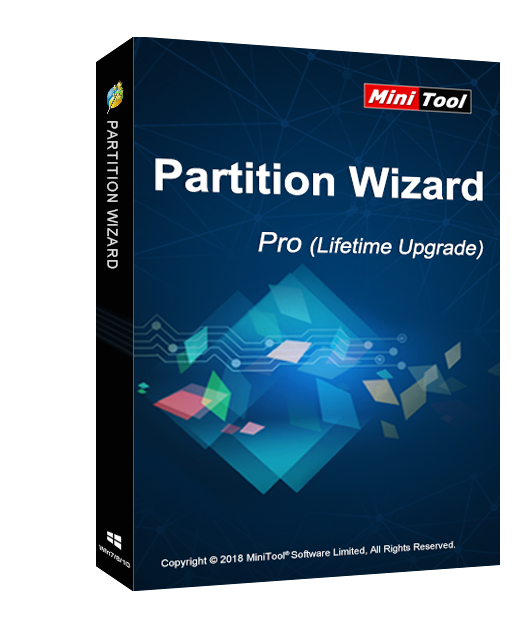
MiniTool Partition Wizard Pro 11 (Lifetime Upgrade) Key Global
45.82EUR
82.69EUR















 -84%
-84% -34%
-34% -36%
-36% -83%
-83%MiniTool Partition Wizard Pro Standard è un software di gestione delle partizioni facile da usare con funzioni complete. Offre la gestione delle partizioni per diversi sistemi Windows. MiniTool Partition Wizard supporta completamente i file system principali e offre un supporto perfetto per le partizioni GPT.
Caratteristiche principali
Gestione delle partizioni
Modifica Partizione
Converti Disco
Copia Disco
Pulisci Disco
Verifica Disco
Gestione Disco Dinamico
Crea Supporto di Avvio
Requisiti di sistema e supporti
Sistemi operativi supportati come Win 2000/XP/Vista/7/8/10.
File supportati come FAT12/16/32, NTFS, Ext2/3/4 ed exFAT.
Dispositivi di archiviazione supportati.
Avvio UEFI/EFI.
Dischi MBR e GPT.
Tutti i dispositivi di archiviazione riconosciuti da Windows, come RAID, ecc.
Unità disco rigido tradizionali, unità a stato solido (SSD), SSHD, ecc.
Hard disk esterni, unità USB, schede SD e altri supporti rimovibili.
Ultimo aggiornamento V11!!
Aggiunta la funzione Benchmark Disco.
Aggiunta la funzione Analizzatore di Spazio.
Selezione predefinita delle partizioni esistenti durante il processo di recupero partizioni.
Registrazione diretta nelle edizioni Free/Demo.
Il codice di attivazione è la licenza "1-Year Upgrade", che supporta 1 PC con protezione per l'aggiornamento della versione. In tal caso, non è necessario pagare costi aggiuntivi per aggiornare la versione corrente a ciascuna versione successiva entro 1 anno.
Download, installazione e registrazione
Puoi scaricare MiniTool Partition Wizard Pro 11 Standard tramite il link:
https://www.partitionwizard.com/download/v11/pw11-free.exe
Per installare MiniTool Partition Wizard Pro 11 Standard:
Esegui il programma di installazione -> Accetta l'accordo di licenza -> Seleziona la destinazione -> Segui la guida all'installazione -> Fine
Registrazione online
Dopo aver installato e avviato MiniTool Partition Wizard Pro 11 Lifetime Upgrade, verrà visualizzata una finestra di registrazione. A questo punto, è necessario copiare il codice di attivazione ricevuto e incollarlo nella casella di testo, quindi premere Attiva. Facendo ciò, avrai completato la registrazione online.
Note
Per una registrazione riuscita, assicurati che non ci siano spazi vuoti in nessuna parte del codice di attivazione.